Find what’s hidden, faster with Target for ArcGIS Pro
Advance your understanding of drillhole and subsurface data within Esri ArcGIS Pro.
Get a demoTalk to usWork on multiple maps and 3D scenes all in a single workspace.
Fast, flexible data processing
Import and process data from a variety of standard industry sources or generic formats.
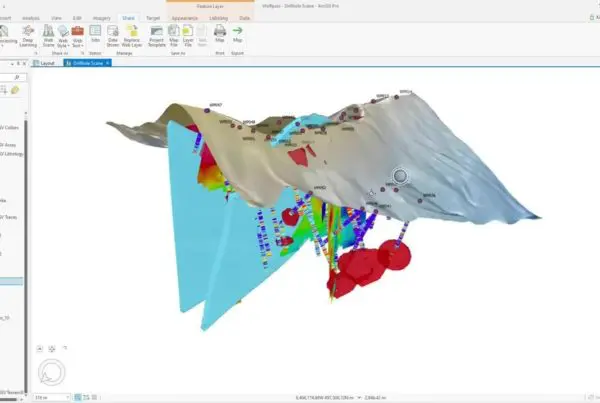
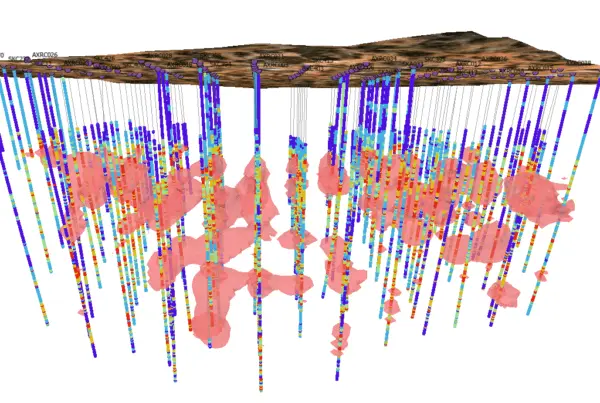
View drillhole data attributes in 2D maps and 3D scenes. Create cross sections to view and interpret your geology in 3D. Incorporate subsurface datasets to your project for increased understanding and context.

Manage drillhole data within Esri
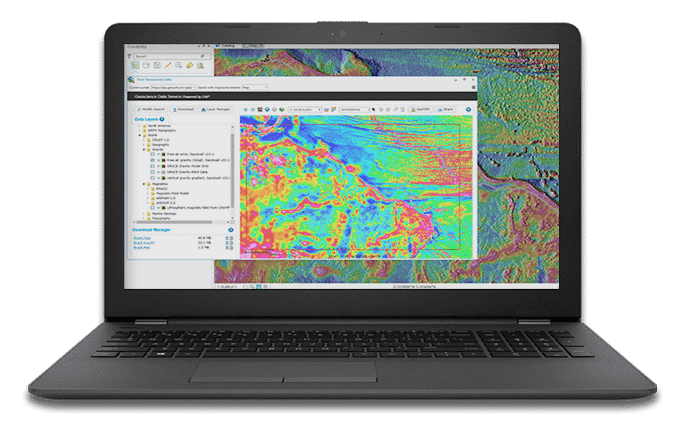
Use the Esri platform and geoprocessing tools you’re familiar with on drillhole data. Seequent holds Gold Partner status as the leading tool for viewing and managing drillhole data within the Esri environment.
Collaborate and share
As a native Esri ArcGIS Pro add-in, Target for ArcPro allows you to share and collaborate much more freely using Esri’s ArcGIS Online workflows and Geospatial Cloud offerings.


“Target for ArcGIS will allow us to exchange our data, and particularly our visualisations, as freely as possible with Esri ArcGIS users.”
Mark ParkerManaging Director of African Eagle Resources plc
“Esri ArcGIS is an outstanding package and Target provides the facility to plot drillholes within ArcGIS.”
Julian MisiewiczConsulting Geologist for Africa and Europe with Gold Fields International
Watch Target for ArcGIS Pro in action
Fast, flexible data processing

Import drillholes
- Work with a variety of filetypes: Access, Excel, CSV / ASCII, acQuire, MX Deposit, or Target
- Import drillholes as 3D spatial features in a geodatabase
- Import Warnings highlight common data entry mistakes
- Refresh Drillhole Imports quickly updates the dataset with the latest holes and results, using the original source parameters

Display and manage drillhole data
- View collars, traces, or downhole data attributes in 2D maps and 3D scenes
- Display multiple layers of drillhole information quickly and simply
- Add several layers to the map or scene using a single tool, speeding up map creation and building of lithology, geochemistry, mineralisation, and alteration data
- Create, import, and share your organisation’s custom styles as defaults
- Create data rich and informative downhole data plots through strip logs
- Produce geological interpretations for enriched understanding

Create cross sections
- View and analyse your drillholes in 3D by creating cross sections
- Create single sections or multiple parallel sections, easily
- Use the Viewer tool to “step through” the entire project, one section at a time
- Build professional quality maps for reports, printing, and PDFs with ArcGIS Pro Layout tools

Navigate the subsurface in 3D
- Navigate the subsurface quickly and easily using 3D navigation shortcuts
- Clip Scene Extents to drillhole extents automatically, or to a 2D area you define
- View From bookmarks allow you to easily view the scene from pre-set directions
- Use the Zoom to tool to view subsurface layers from beneath, instead of above

Work with all your data
Incorporate multidisciplinary geoscience datasets into your models, such as:
- Surface: grids of magnetics, geochemistry, topography
- Subsurface: slices of block models (or voxels) can be added as section raster data
- 3D geological models: incorporate geological models, wireframes, or grade shells from Oasis montaj or Leapfrog
- Import existing Geosoft voxel files and view these with your existing drilling datasets

Collaborate in the Cloud
- ArcGIS Pro users can share Projects, Maps, or Layers
- Esri ArcGIS Online web-sharing workflows allow sharing online
Target for ArcGIS Pro Stories
Target for ArcGIS Pro enhances integration of mining and exploration data
Industry-first tool enables geoscientists to find what’s hidden faster with seamless integration of subsurface drilling…